 Remittance companies
 Crypto OTC desks
 Bitcoin ATM operators
 ATM operators
 Small businesses

On this page
- What does an e-Transfer scam look like for a business?
- The overpayment scam: "please send back the difference"
- Deposits from stolen accounts
- Strangers paying on someone else's behalf
- How do I protect my business from e-Transfer fraud?
- Simple rules for first-time senders
- What to do after a scam payment
- Frequently asked questions
Most e-Transfer scams that hit businesses follow 3 patterns. A customer overpays and asks for the difference back. A payment comes from a stolen account. Or a stranger pays on someone else's behalf. Each one tries to get you to move money or goods before you know where the payment came from.
Fraud is high on Ottawa's agenda this year. On April 27, 2026, the federal government tabled Bill C-29 to create a Financial Crimes Agency. A day later, its Spring Economic Update proposed a ban on crypto ATMs to protect Canadians from fraud. As of October 2026, C-29 is being studied in committee and the ATM ban is still a proposal.
Canadians reported losing more than $704 million to fraud in 2025, according to the Canadian Anti-Fraud Centre. If you take payments by Interac e-Transfer, here is how each scam works and how to stop it.
What does an e-Transfer scam look like for a business?
Scams aimed at businesses look like normal sales at first. The order is real enough, the payment arrives, and the customer is polite. The trick comes after the money lands.
The sender wants something from you fast. That might be a refund, a shipment, a crypto purchase or cash. Once you hand it over, the payment behind it falls apart.
Here are the 3 patterns to know. Learn the signs once and you will spot them quickly.
The overpayment scam: "please send back the difference"
A new customer orders $1,200 of goods. They send $2,400 by e-Transfer and apologise for the "typo". Then they ask you to send the extra $1,200 back, often to a different email address.
The $2,400 usually came from a stolen or hacked account. When the real owner reports it, their bank may try to get the money back. If that happens, you lose the full payment and the $1,200 you sent out.
The fix is simple. Never send back an "extra" amount. Reject the payment and ask the customer to send the correct total from their own account.
Deposits from stolen accounts
Here, a fraudster gets into someone else's online banking. They use that account to pay you for something they can resell or cash out quickly. A small "test" payment, like $50, often comes first, then a larger one, like $1,800.
The biggest clue is the name. The sender's name on the e-Transfer does not match the customer on your order. Other signs are a first-time buyer in a hurry or a new delivery address. So is a story about why their own account "isn't working".
This risk is higher for businesses that sell money itself. Think of a money services business or a crypto business. There, a stolen payment can turn into cash or crypto that is gone in minutes. Check the sender before you release anything.
Strangers paying on someone else's behalf
Someone you have never dealt with pays your customer's invoice. They say they are a cousin, a business partner or a friend "helping out". Sometimes that is true. It is also a common way to push stolen or dirty money through a business.
The safe rule is to accept payment only from the person or business you invoiced. If someone else pays, reject it and ask your customer to pay from their own account.
If you run an MSB or a crypto business, this is also a compliance question. FINTRAC's third party determination guidance explains when to ask if a client acts for someone else. It also covers what to record.
How do I protect my business from e-Transfer fraud?
With Invincible Pay, you can receive payments by Secure e-Transfer. Every incoming payment waits in your wallet until you decide what to do with it. You see who sent it and how much before the money is yours.
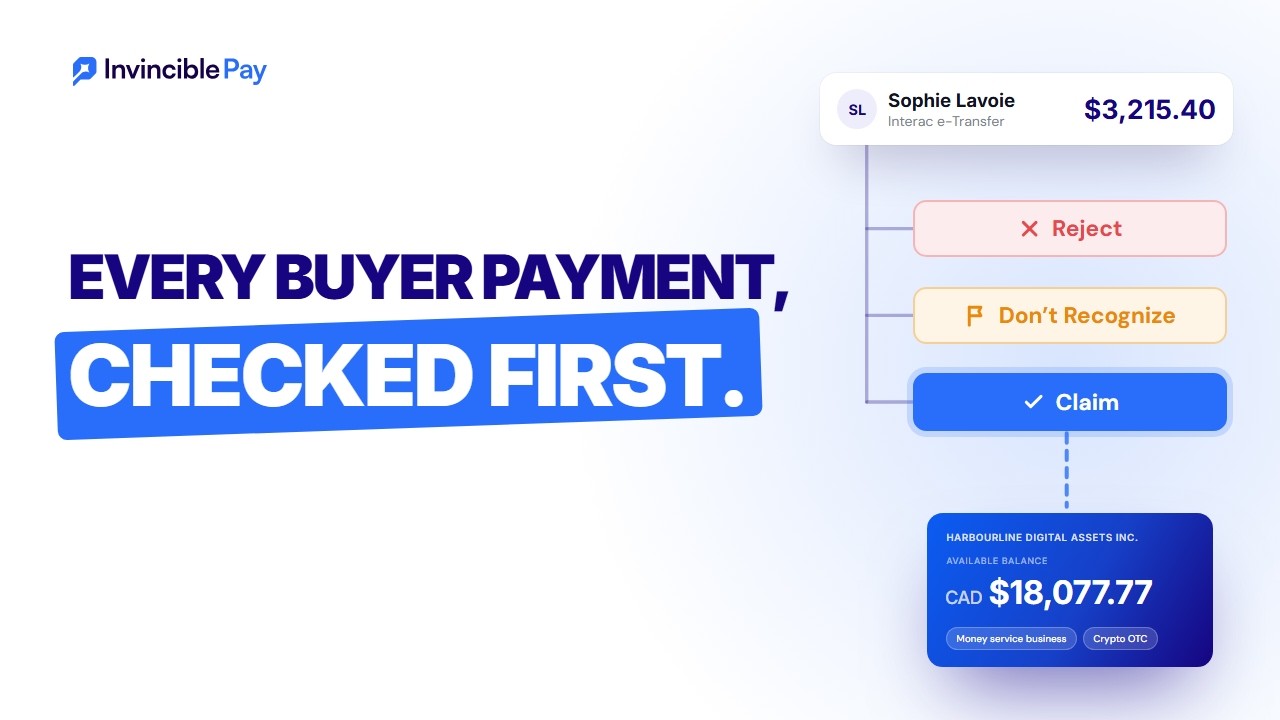
From there you can claim it, reject it or mark it as not recognised. Claim the payments that match an order. Reject the ones that don't. Mark a payment as not recognised when you have no idea who sent it.
Autodeposit is still useful for regular customers you know well, since their payments land without a step from you. You can use autodeposit for repeat customers and Secure e-Transfer for everyone else. An e-Transfer usually arrives in minutes (up to 30), so the pause costs you very little time.
Simple rules for first-time senders
New customers carry the most risk. These rules take seconds:
- Match the sender's name to the name on the order or invoice.
- Don't ship goods, release cash or send crypto until you have checked the payment.
- Never send back an overpayment. Reject it and ask for the right amount.
- Watch for a small test payment followed by a much larger one.
- Slow down when someone pushes you to hurry. Real customers can wait 10 minutes.
- Set your own first-order limit, such as $500, until a new customer has a history with you.
- Write down who paid, from which email, and for which order.
Share these rules with anyone on your team who handles payments, including new staff.
What to do after a scam payment
First, stop. Don't spend the money, refund it to a new address or send anything else out. Then work through these steps:
- Contact your payment provider right away. At Invincible Pay, call +1 (587) 288-5511 or email info@invinciblepay.com. We reply within 24 hours on business days, Monday to Friday, 9am to 6pm MT.
- Report it to your local police.
- Report it to the Canadian Anti-Fraud Centre. You can report online or call 1-888-495-8501.
- Save everything: emails, texts, order details and payment screenshots.
- If you run an MSB or a crypto business, check your own reporting duties in FINTRAC's guidance.
Afterwards, look at how the scam got through. A small change, like checking names on every first payment, closes a lot of gaps.
Want to check every payment before you accept it? Talk to us about business payments. We will walk you through Secure e-Transfer and how to set it up for your team.
Frequently asked questions
How do Interac e-Transfer scams target businesses?
Interac e-Transfer scams target businesses by using a real-looking payment to get something back. The scammer overpays and asks for a refund. Or they pay from a stolen account, or for someone else. In each case, they want goods, cash or crypto from you before the payment falls apart.
What should I do if a customer overpays by e-Transfer?
Don't send the difference back. Reject the payment and ask the customer to send the correct amount from their own account. A refund of an "extra" amount to a new email address is a classic sign of the overpayment scam.
Can a scam e-Transfer be taken back after I deposit it?
It can. If the money came from a stolen account, the real owner can report it. Their bank may then try to recover the funds. That is why you should check a first-time sender before you claim the payment or release anything.
What is Secure e-Transfer?
Secure e-Transfer is a way to receive Interac e-Transfer payments where each one waits for you. You can claim it, reject it or mark it as not recognised. It gives you a moment to check the sender before the money is yours.
How much does it cost to receive e-Transfers with Invincible Pay?
It costs $1.95 + 0.20% per transaction. MSB, crypto, high-risk and iGaming accounts also pay a $500 one-time setup fee and a $500 monthly minimum that counts toward transaction fees. Our holiday discount runs November 1 to January 7. Money services and high-risk businesses onboarded by January 7 get those fees waived. See our pricing page for details.
Where do I report e-Transfer fraud in Canada?
Report it to your local police and to the Canadian Anti-Fraud Centre. You can file online or call 1-888-495-8501. Contact your payment provider at the same time so they can help with the payment itself.